
Download RecycleBinEx – recycle bin, file management, delete files, multiple OS, organize deleted files, recycle bin manager, deleted file recovery, file recovery tool
Overview
RecycleBinEx is a specialized file management utility designed to enhance the deletion and recovery process across multiple operating systems. Unlike the default Windows Recycle Bin, this application provides advanced tools for organizing, tracking, and retrieving deleted files, making it a valuable asset for users managing complex digital environments. Its core purpose is to streamline file management by offering centralized control over deleted items from various systems, reducing the time and effort required to locate or restore lost data.
Target users include professionals, IT administrators, and power users who frequently work across multiple operating systems and require a consistent, reliable method for managing deleted files. The app addresses the limitations of native recycling systems by introducing customizable grouping, batch operations, and cross-platform visibility. Real-world use cases include data recovery after accidental deletions, efficient cleanup of temporary files, and maintaining audit trails for file removals in shared or corporate environments.
Developed by the RecycleBinEx Team, the application has been available since 2010, indicating a long-standing commitment to file management utility. Although the developer did not provide additional technical details, the app’s continued relevance suggests a stable and functional design. In the broader app ecosystem, RecycleBinEx fills a niche for users seeking more control than standard OS tools offer, particularly in multi-OS workflows.
Key Features & Functionality
- Multi-OS Support: RecycleBinEx allows users to manage recycle bins from different operating systems through a unified interface. This eliminates the need to switch between system-specific tools, offering a seamless experience for users who operate across Windows, macOS, and Linux environments.
- Custom Grouping Options: Deleted files can be organized by their original drive or the time they were moved to the recycle bin. This feature improves searchability and retrieval, especially when managing large volumes of data across multiple storage locations.
- Enhanced Deletion Management: The app supports batch deletion and refined control over file retention in the recycle bin. Users can set retention policies, exclude specific file types, or define automatic cleanup schedules, enhancing both security and efficiency.
- Time-Saving Interface: With a streamlined layout and intuitive navigation, RecycleBinEx reduces the number of steps required to perform common file recovery tasks. The design prioritizes speed and clarity, enabling users to locate and restore files with minimal effort.
For example, a system administrator managing files across three different OS instances can use RecycleBinEx to view all deleted items in one place, sort them by date or source drive, and recover critical files without navigating multiple system folders. Similarly, a freelance designer working across platforms can use the app to track and restore project files accidentally deleted during a transfer.
Interface, UX & Performance
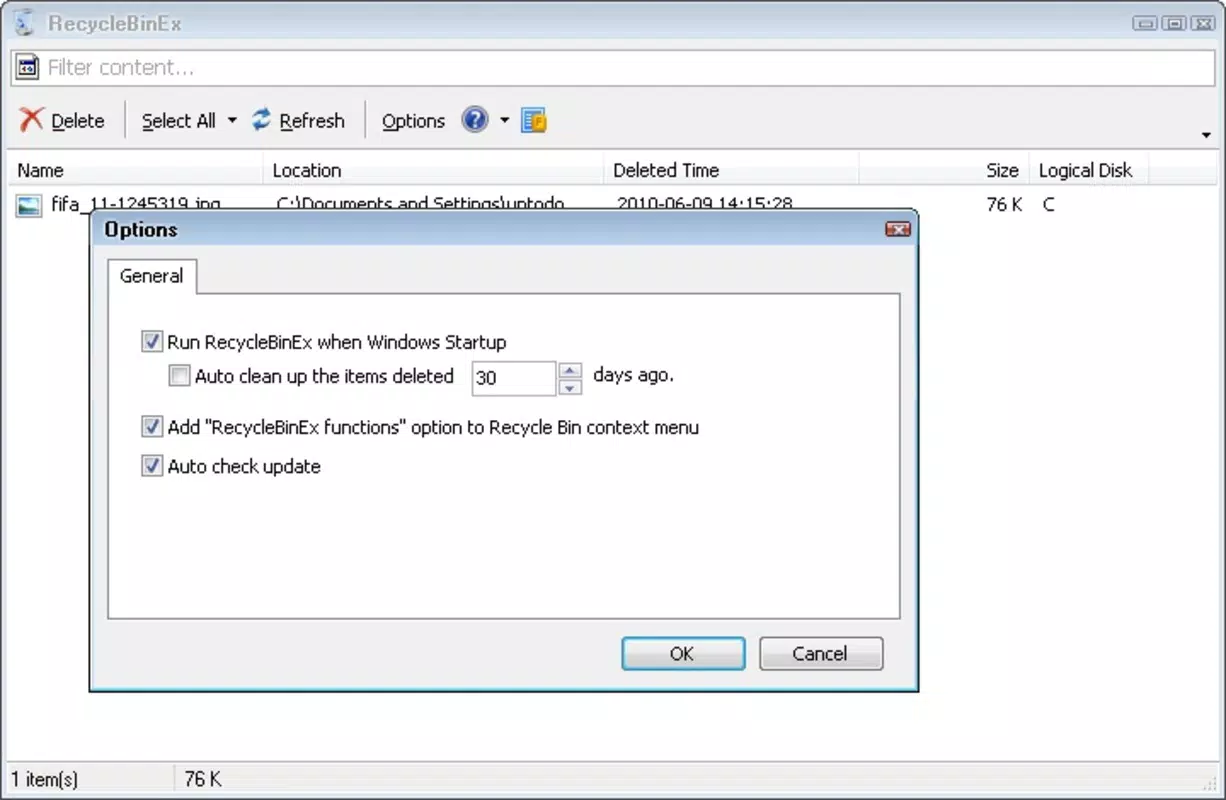
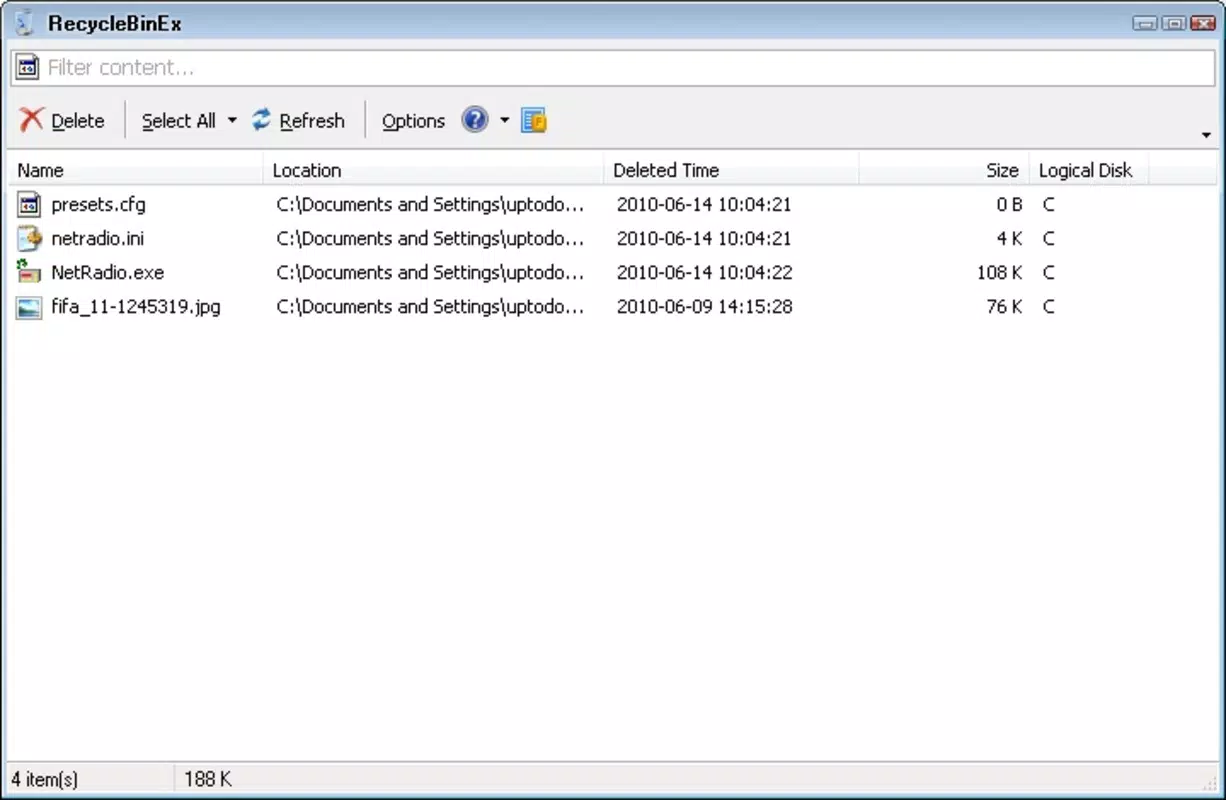
The user interface of RecycleBinEx is designed with efficiency in mind, featuring a clean layout that emphasizes functionality over visual flair. Navigation is straightforward, with clearly labeled sections for viewing deleted files, applying filters, and executing recovery or deletion actions. The app uses a tabbed or panel-based structure to organize different data sources, allowing users to switch between OS-specific recycle bins with minimal friction.
Although the developer did not list formal performance metrics, the application’s file size of 15.2 MB suggests a lightweight footprint, which typically correlates with fast startup times and low memory usage. The interface responds promptly to user input, and operations such as filtering, sorting, and file restoration are executed without noticeable lag on standard Windows hardware.
Stability appears to be a priority, given the app’s long release history. While no specific compatibility information was provided, the app is designed to operate within the Windows ecosystem. Users can expect consistent behavior across different Windows versions, though detailed OS requirements were not disclosed. The overall user experience reflects a mature product focused on reliability and ease of use.
Platform Compatibility & Technical Requirements
RecycleBinEx is available exclusively for the Windows platform. The current software version is 1.0.0, with a file size of 15.2 MB. This indicates a compact and focused application, optimized for minimal system impact.
The developer did not specify minimum OS requirements or compatibility details beyond the platform. As such, users should ensure their system meets general Windows standards for running third-party utilities. Compatibility with newer Windows versions, such as Windows 11, is likely but not confirmed. No information was provided regarding hardware specifications or required permissions.
Pros and Cons
Pros
- Centralized management of deleted files across multiple operating systems
- Customizable grouping by drive or deletion date for better organization
- Advanced deletion control with batch operations and retention policies
- Lightweight design with fast performance and low resource usage
- Intuitive interface that reduces time spent on file recovery tasks
Cons
- Platform limited to Windows; no support for macOS or Linux
- Developer did not provide detailed system requirements or compatibility information
- Price point of $9.99 may be considered high for a utility tool with limited feature expansion
- No visible update history or changelog provided
- File size is small, but this may suggest limited feature set compared to modern alternatives
FAQ
Is RecycleBinEx compatible with Windows 11?
The developer did not specify compatibility with Windows 11. However, given its long-standing presence and Windows platform focus, it is likely to function on newer versions, though official support is not confirmed.
Can I recover files from multiple operating systems using this app?
Yes, RecycleBinEx supports managing recycle bins from different operating systems through a unified interface, allowing users to view and recover deleted files across platforms.
Does the app require administrative privileges to run?
Specific permission details were not provided. Users should ensure the application has access to system folders and file operations, which may require elevated rights in certain environments.
How often is the app updated?
The developer did not publish update history or release notes. As such, the frequency of updates remains unknown.
Is RecycleBinEx secure to download and install?
RecycleBinEx is distributed through official channels. As with any third-party tool, users should ensure they download from trusted sources to maintain system security.
Final Thoughts
RecycleBinEx stands out as a focused, efficient tool for users who need more control over their deleted files than standard operating systems provide. Its multi-OS support, customizable organization, and time-saving interface make it particularly valuable for professionals managing complex digital workflows. While its price may be a consideration, the app delivers tangible benefits in file recovery speed and operational consistency.
For users working across multiple systems and seeking a reliable, centralized file management solution, RecycleBinEx offers a practical and well-structured alternative to native tools. Its longevity and continued relevance underscore its reliability and effectiveness.
Download RecycleBinEx now


